Sabhalekh

Your meetings, written down.
Nothing leaves your PC.

Sabhalekh records your Teams, Zoom or Meet calls and turns them into transcripts with speaker names, in English, Hindi and Hinglish. Free, open source, and completely offline.

Windows 10 and 11 · No account · No admin rights · MIT License
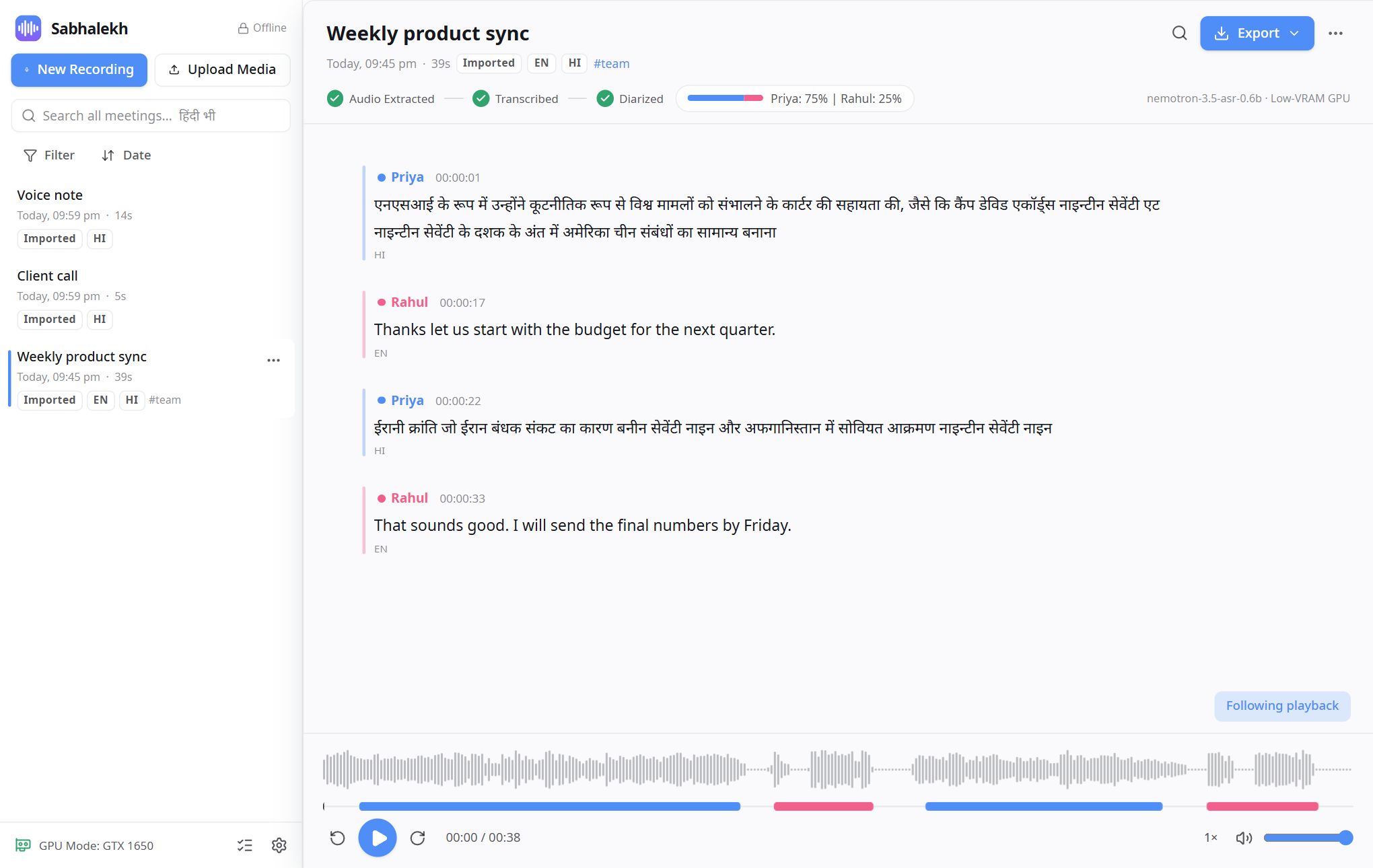
A meeting transcript in Sabhalekh with two named speakers, Hindi and English lines, and the audio player

Everything you need from a meeting recorder

Private by design

Speech recognition, speaker detection and search run on your PC. The app blocks its own network access, so your recordings can't be uploaded.

English, Hindi, Hinglish

Mixed-language meetings in one transcript. Hindi in Devanagari or Roman letters, and search that finds क्या when you type kya.

Knows who spoke

Up to 8 speakers. Your microphone is "You", and you can rename everyone else everywhere at once.

Works with any call app

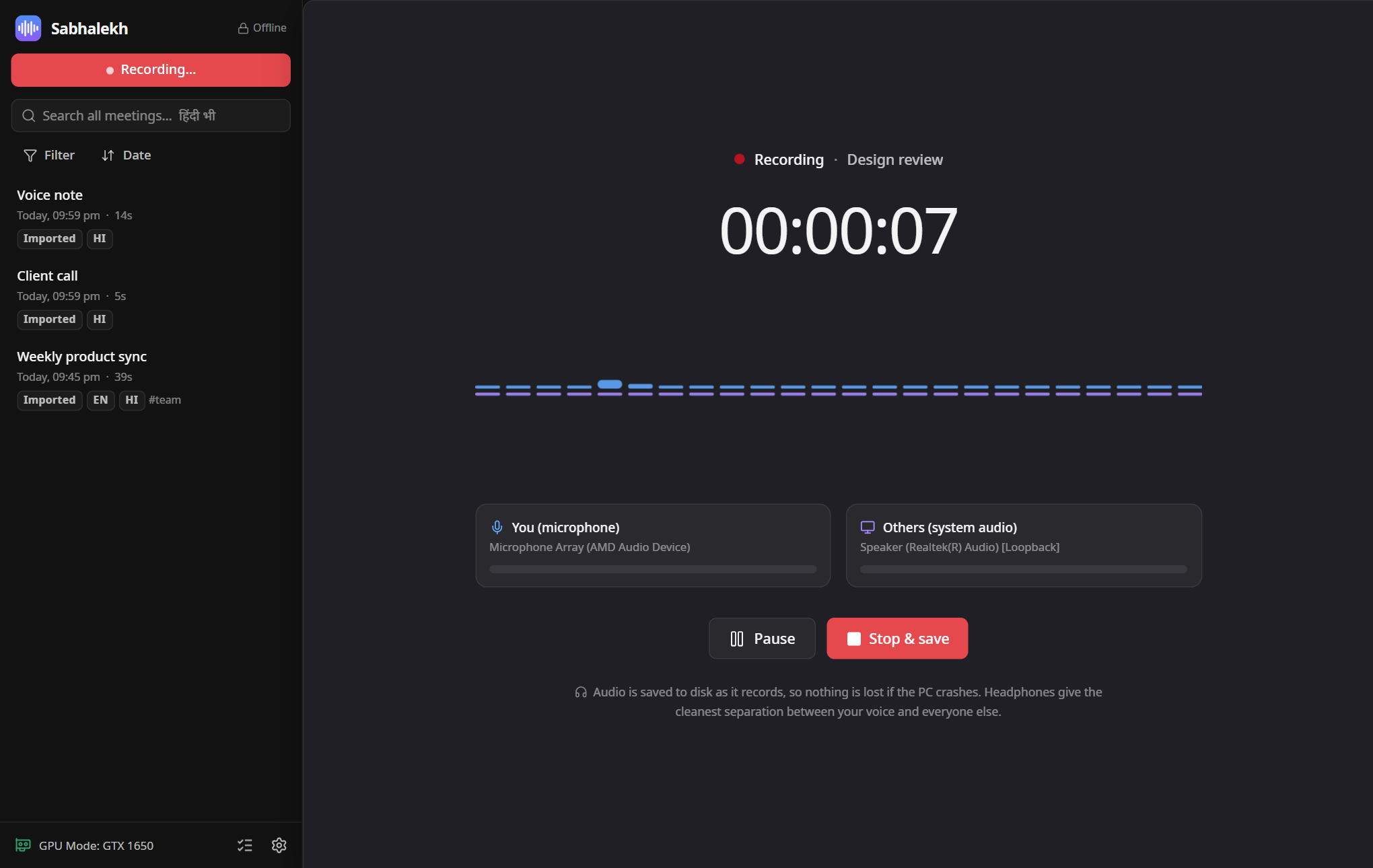
Records your microphone and what your PC plays. Teams, Zoom, Meet, WhatsApp: no bot joins the call.

Fast on ordinary laptops

An hour-long meeting is ready in about 5 minutes on a 4 GB graphics card. NVIDIA, AMD, Intel or just the CPU.

Export anywhere

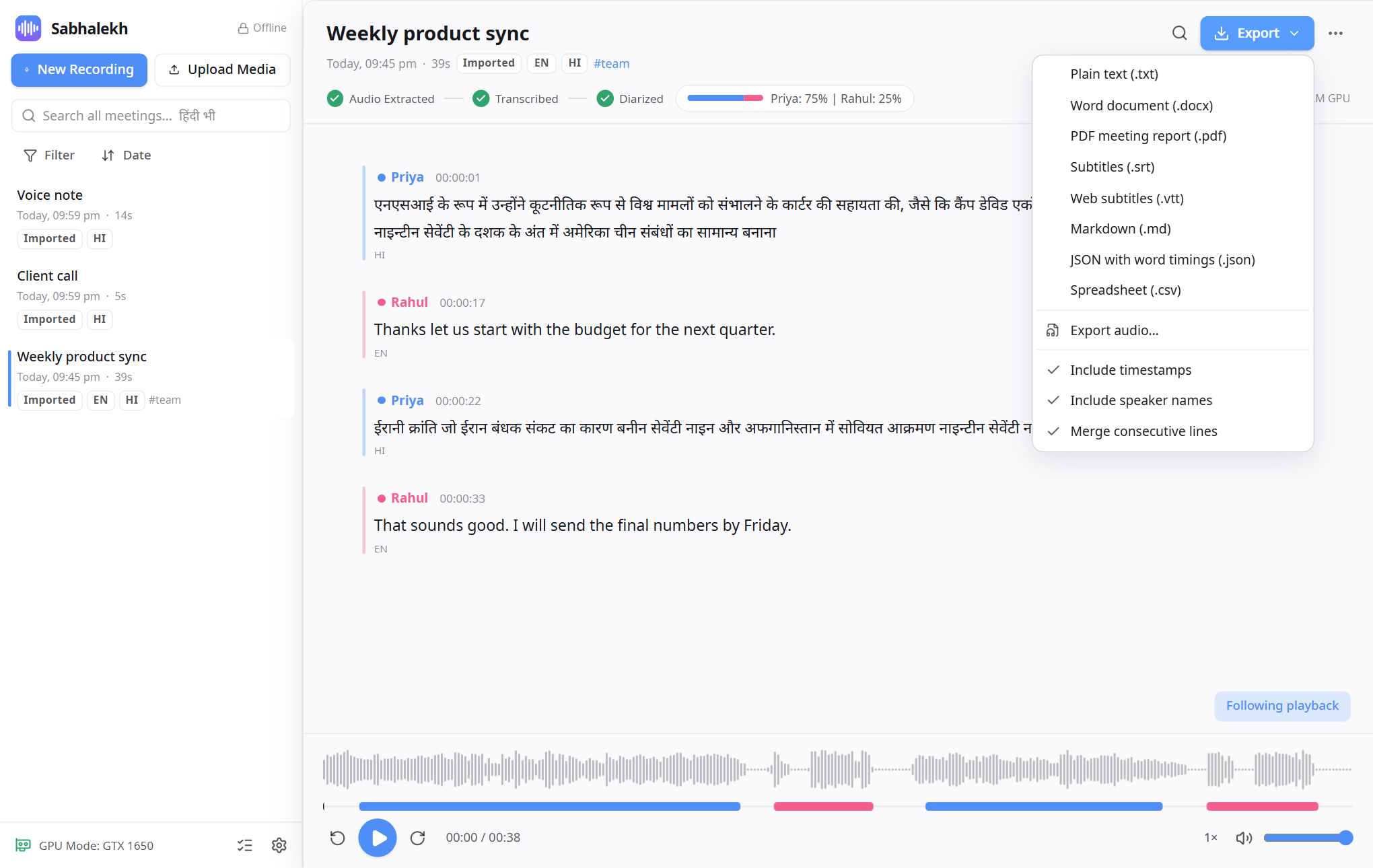
Word, PDF meeting report, subtitles, text, Markdown, JSON and CSV, one meeting or many at once.
Three steps

  1. Install. Download the installer and run it. No admin rights or internet needed; the speech models are included.
  2. Record or import. Click New Recording before your call (or press Ctrl+Shift+R), or drop an audio or video file onto the window.
  3. Read, fix, share. Click any word to hear it, name the speakers, and export to Word, PDF or subtitles.
Recording screen with separate meters for your microphone and the other participants Export menu with Word, PDF, subtitle, text, Markdown, JSON and CSV formats